Custom Workout Planner 7 screens One file
Your split, not a template that assumed one.
Build one to seven training days, put any exercise on them, and set your own sets, reps, weights, rest and notes. Then print a clean sheet and take it to the gym.
Instant download · No account · Works offline · One-time payment
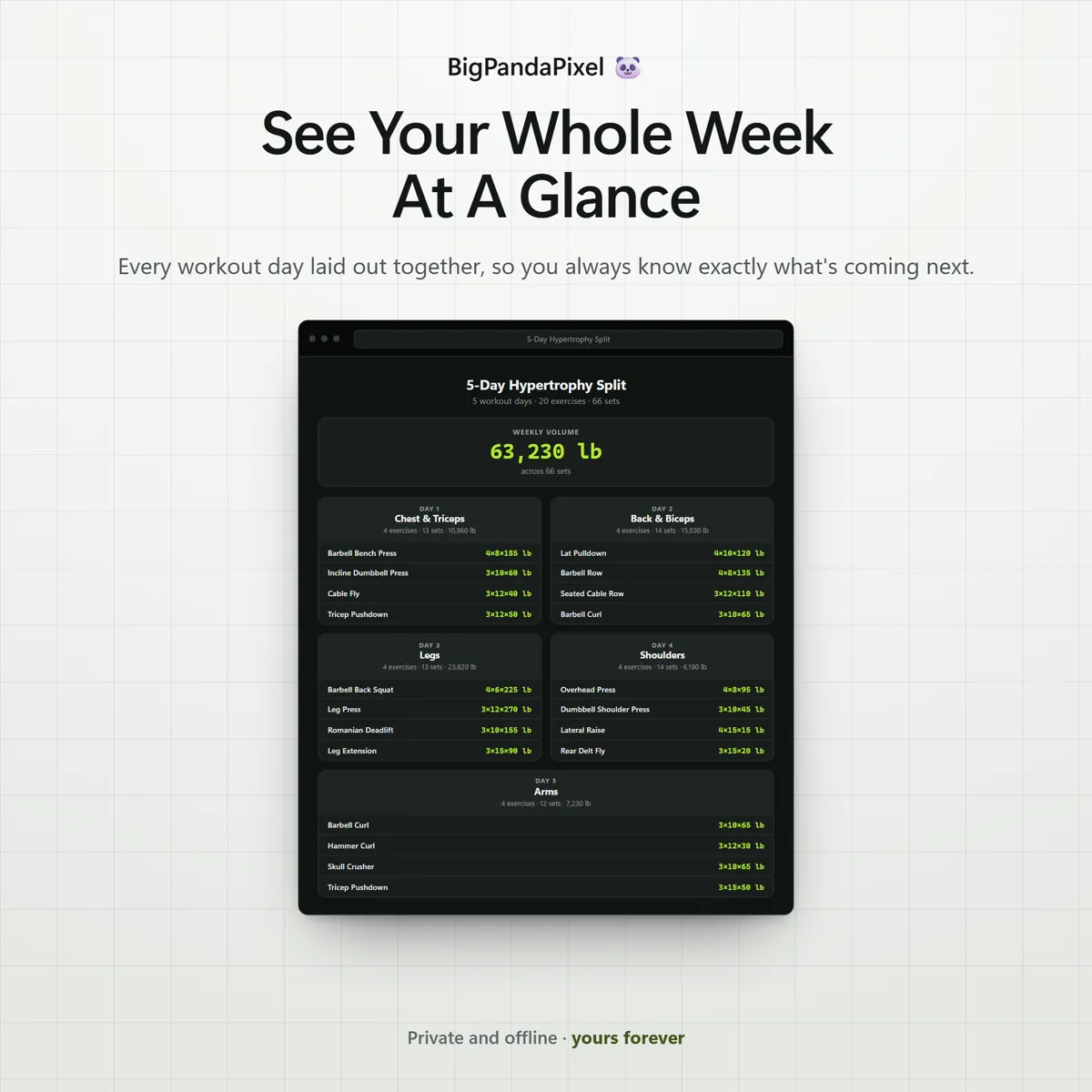
A programme you have to scroll and squint at between sets is a programme you stop following in week two.
Unlike a generic template that has already decided your split, or a notes app you cannot find mid-set, this is built around what you actually do. Nothing assumes push-pull-legs, and nothing assumes a gym.
Whether it is a simple three-day rotation or a five-day hypertrophy block with dozens of movements, it holds the whole thing in one file that opens offline.
What's inside
Seven connected screens
Build it once, then keep it. Every day, exercise and working weight lives in the same file, and the printable sheet comes out of the same data.
The parts people buy it for
What it actually does for you
Build any split you actually train
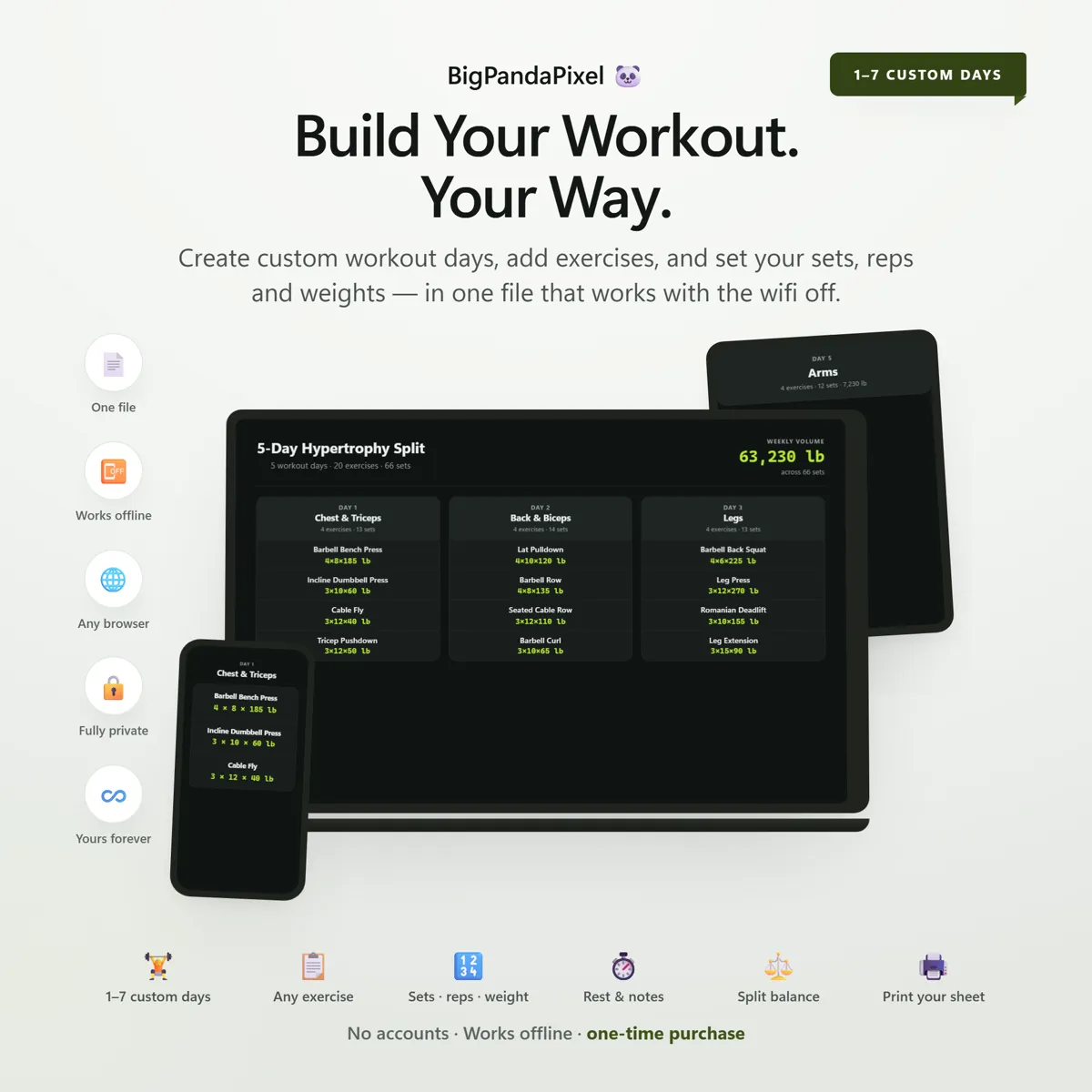
Choose 1 to 7 workout days and name every one yourself — Push/Pull/Legs, Upper/Lower, Chest & Triceps, or a plain Day 1. Add a day, remove one, or reorder your whole week any time your split changes. Build unlimited plans and duplicate any of them into a variation with one tap.
Every field a real workout needs
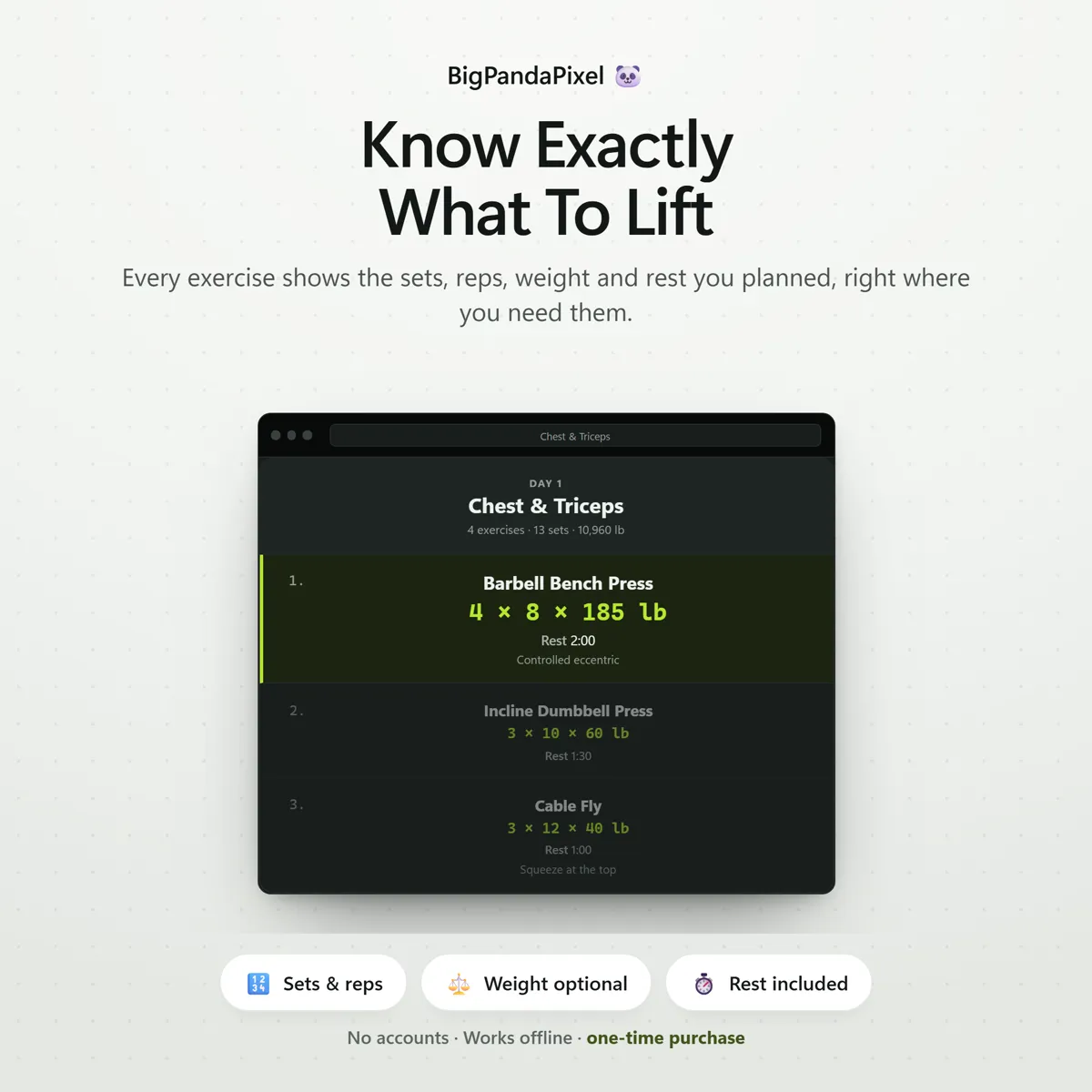
Sets and reps on every exercise, plus weight, rest and notes whenever you want them. Nothing is forced onto an exercise that doesn't need it — a bodyweight movement stays a bodyweight movement.
A 48-exercise library, or your own
Start typing and a searchable library appears, grouped across 8 muscle groups — chest, back, legs, shoulders, biceps, triceps, glutes and core. Tap one to fill in the name and muscle group together, or keep typing your own custom exercise; it works exactly the same way.
See your whole week at a glance
One tap on Analysis shows sets per muscle group, your rep focus, your push/pull balance, and which muscle groups get nothing this week — the plan you built, laid out in a way a stack of exercise rows never quite shows you.
One tap to a clean workout sheet
Print sends a clean, high-contrast sheet to the gym — every day, every exercise, every number — with no buttons, no menus and nothing to distract you between sets.
Maths you can check
Nothing here is a black box
The estimated session time on the Analysis panel isn't pulled from nowhere. It adds roughly 40 seconds of work per set to your own rest times, plus a little time between exercises, and totals it per day — so a day of 13 sets with 90-second rests comes out close to what a real session actually takes, built entirely from numbers you set yourself.
A closer look
Every screen, as it ships
What you'll receive
One download, everything in it
- Custom Workout Planner™ interactive offline app (Single HTML File)
- 7 connected workout tools that sync automatically
- Unlimited workout plans, 1–7 days each
- 48-exercise library across 8 muscle groups, plus unlimited custom exercises
- Sets, reps, optional weight, optional rest and optional notes on every exercise
- Plan Analysis — muscle balance, rep focus, push/pull split, estimated session time
- Print-ready workout sheets
- Eight colour themes and four text sizes
- Local backup system — export & import
- Illustrated step-by-step guide (10-page PDF)
One-time payment
Get it on Etsy- Instant download after purchase
- No account and no subscription
- Works offline on any modern browser
- Windows, macOS, Linux, Chromebook, iPad, Android
Checkout is handled by Etsy. Your payment details never come to us.
Who it's for
You'll recognise yourself in at least one of these
Lifters who already know their split and just need it written down
Anyone running Push/Pull/Legs, Upper/Lower, or a full body split
Bodybuilders and hypertrophy training
Powerlifters and strength athletes
Home gym owners building their own program
Personal trainers building routines for clients
Anyone tired of screenshots, sticky notes and half-updated spreadsheets
Anyone who wants a real workout planner without a monthly subscription
Getting started
From payment to using it, in about two minutes
Buy and download
Purchase and download instantly.
Unzip the folder
Unzip the folder and open the file in Chrome, Edge, Safari, or Firefox.
Open the file
Create your first plan, add a day, add an exercise, and your workout is already organised.
Start using it
No installation.
Please read before buying
The honest small print
- This is a digital download. No physical product will be shipped.
- Instant download after purchase.
- Works completely offline after downloading.
- This is an HTML browser-based planner — not a mobile app, Excel/Google Sheets file, or Notion template.
- Your plans are automatically saved locally in your browser. Clearing browser data, using private/incognito mode, or switching browsers or devices may remove them — so export a backup anytime to keep your plans safe or move them between devices.
- Because there is no cloud account, your plans do not sync between devices automatically. Use the built-in export and import to move them.
- Compatible with all modern browsers.
- This is a workout planner, not a workout tracker — it organises the workout you're about to do and does not log completed sets, past sessions or personal bests. Estimated session times in Plan Analysis are calculated from your own sets and rest times, not measured, so actual sessions will vary. Rest presets are a note to yourself, not a timer — nothing counts down and nothing alerts you. This planner does not replace guidance from a qualified coach or trainer, and it is not medical, fitness or nutrition advice.
- Because this is a digital product, all sales are final. See the refund policy.
Questions
Asked before buying
What exactly is in the download?
A zip folder containing one HTML file — the whole Custom Workout Planner — and illustrated step-by-step guide (10-page PDF). Nothing to install.
Does it work on my phone or iPad?
Yes. Every screen is responsive. On iPad and Android the simplest route is to save the file to your device's Files app and open it from there.
Will you see anything I put into it?
No, and we could not if we wanted to. The file makes no network requests — there is no server for it to talk to. Everything you type is stored by your own browser on your own device.
Is this a subscription?
No. It is a one-time purchase of a file you keep. There is no account, no renewal and no way for it to stop working — Custom Workout Planner runs entirely offline.
One file7 screensNothing leaves your device
Build the split. Print the sheet.
Then stop planning the training and go and do it.
Instant download · No account · Works offline · One-time payment