Fitness Progress Tracker 9 screens One file
Yesterday is noise. The trend is the thing.
Weight, workouts, measurements, goals and habits on one dashboard, where logging anything moves everything it should. The charts show the direction rather than the daily wobble.
Instant download · No account · Works offline · One-time payment
A scale reading on its own has never motivated anybody. A line going the right way for six weeks has.
Everything is calculated for you. Log a weight and the trend chart, the goal bar and the change figure all move. Log a workout and the streak, the weekly count and the milestones move with it.
It is designed to feel like software rather than a spreadsheet — visual, automatic, and stored privately on the device you opened it on.
What's inside
Ten connected screens
One dashboard, and every screen behind it feeding the same picture. Nothing is entered twice and nothing needs totalling at the end of the week.
The parts people buy it for
What it actually does for you
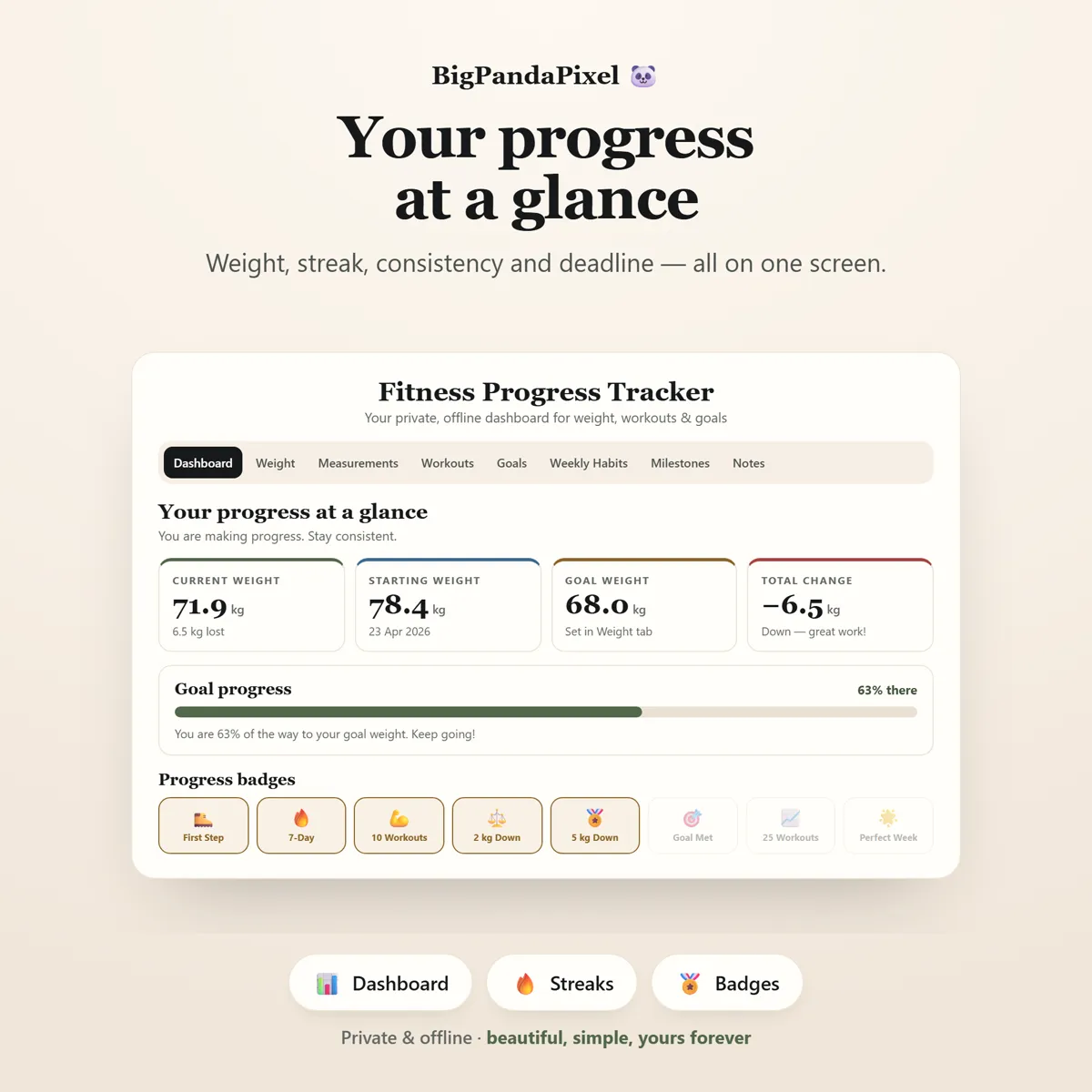
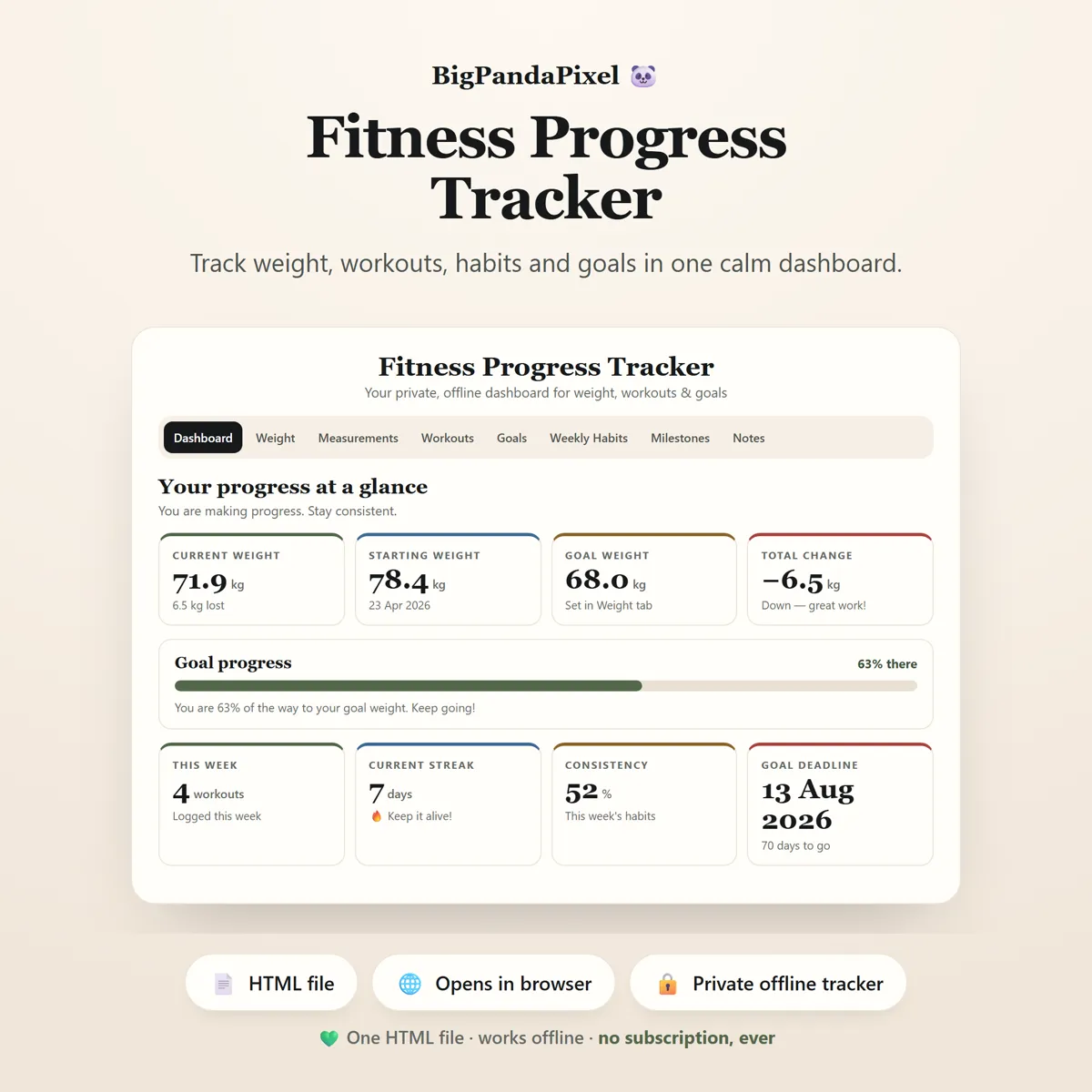
Your whole journey on one screen
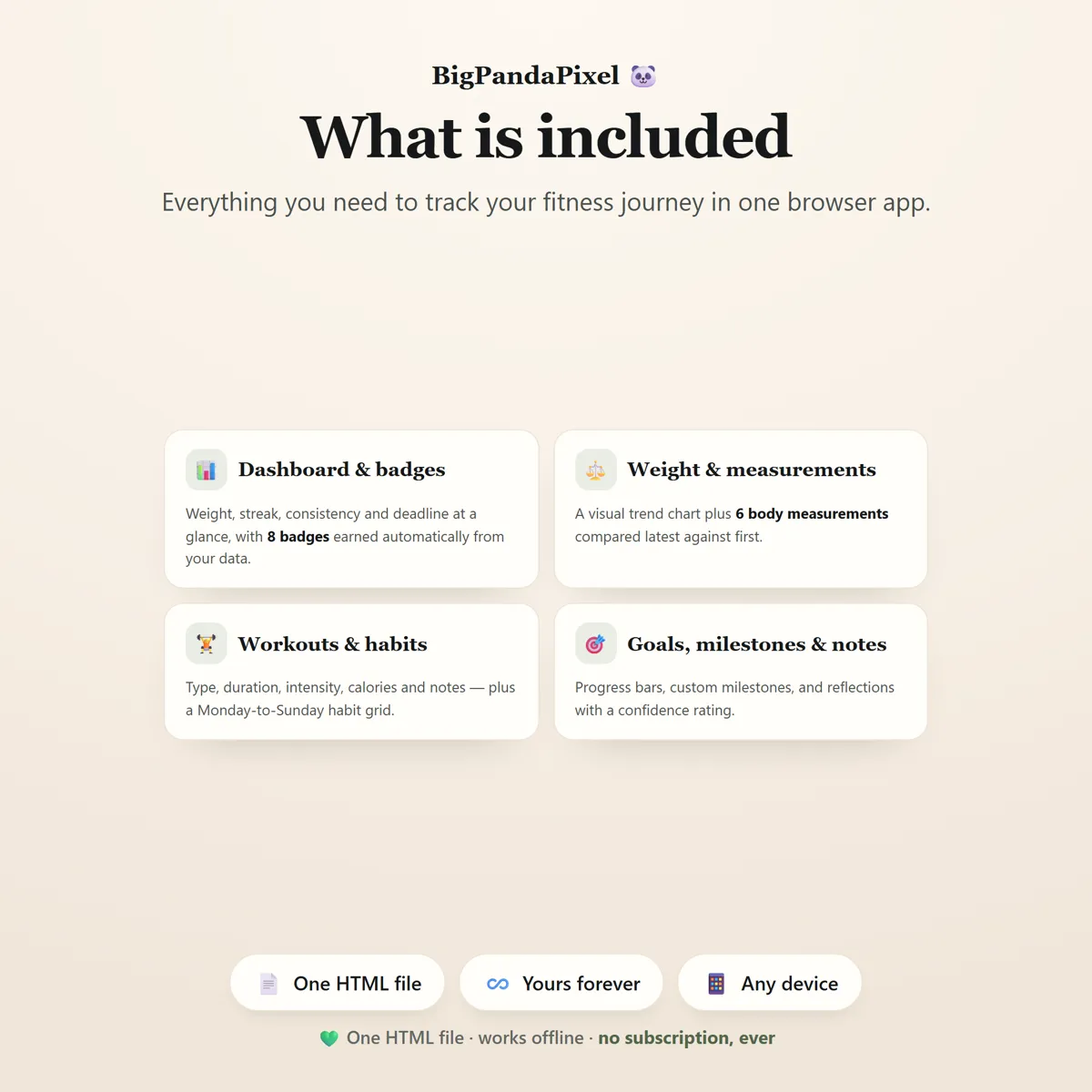
Current weight, starting weight, goal weight, total change, goal progress, workouts this week, current streak, consistency score and days to your deadline — all at a glance, all calculated from what you have logged.
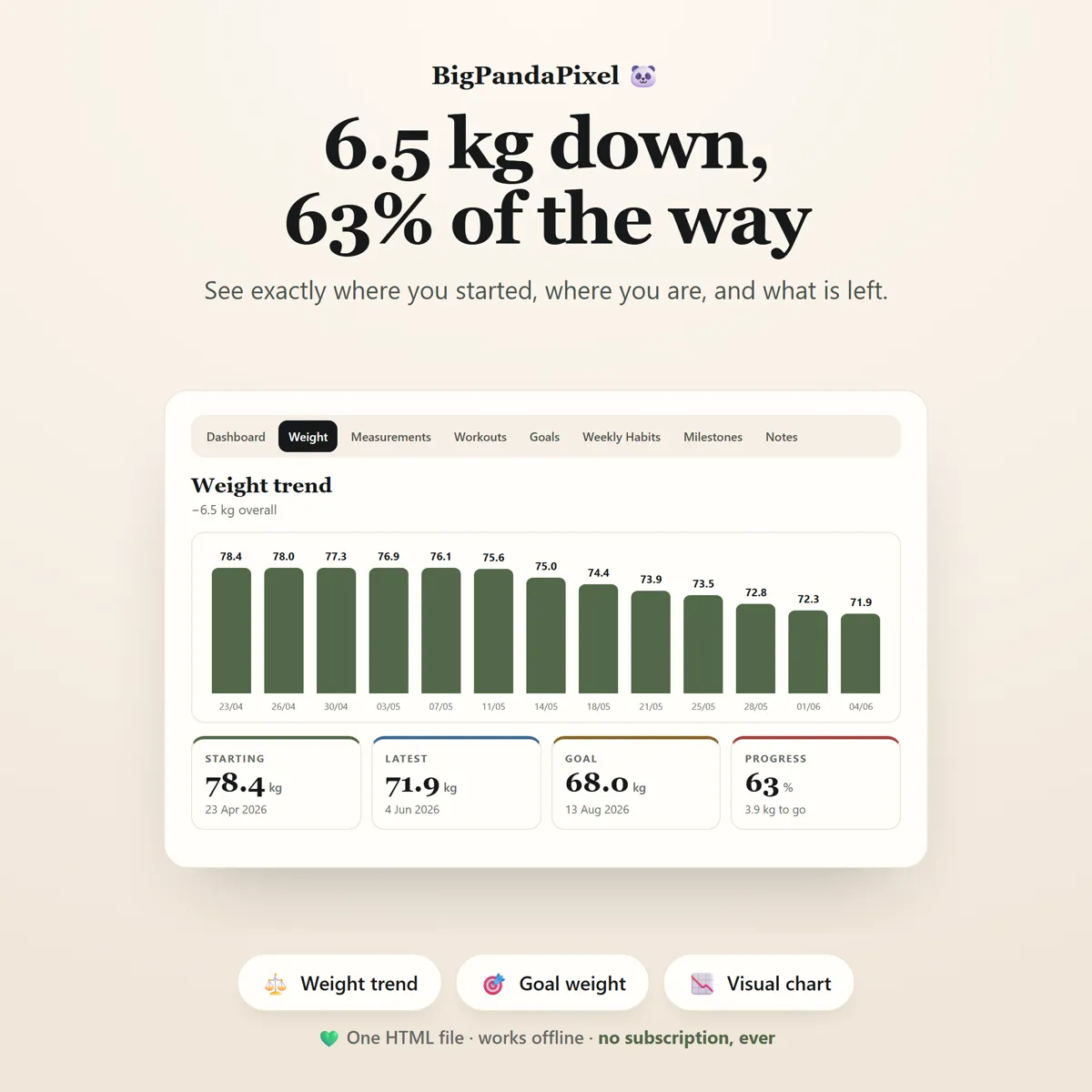
See the trend, not just today's number
One weigh-in tells you nothing. The visual chart shows every entry in order, so a bad morning stops feeling like a setback and starts looking like what it is — noise on a line that is heading the right way.
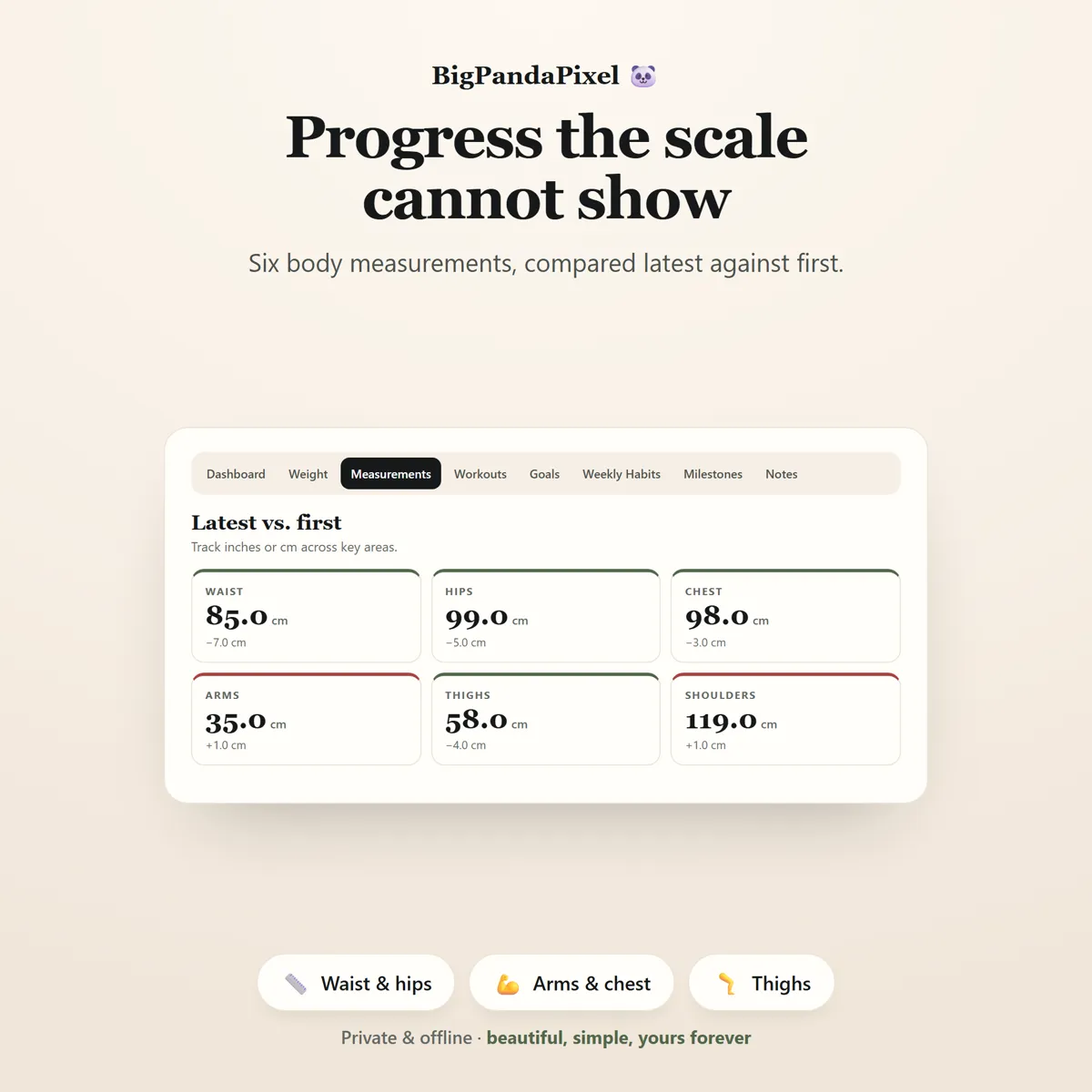
Progress the scale cannot show
Six body measurements, compared latest against first. Arms up while the waist comes down is progress the scale will never report — and this is where you see it.
Streaks that do not punish you
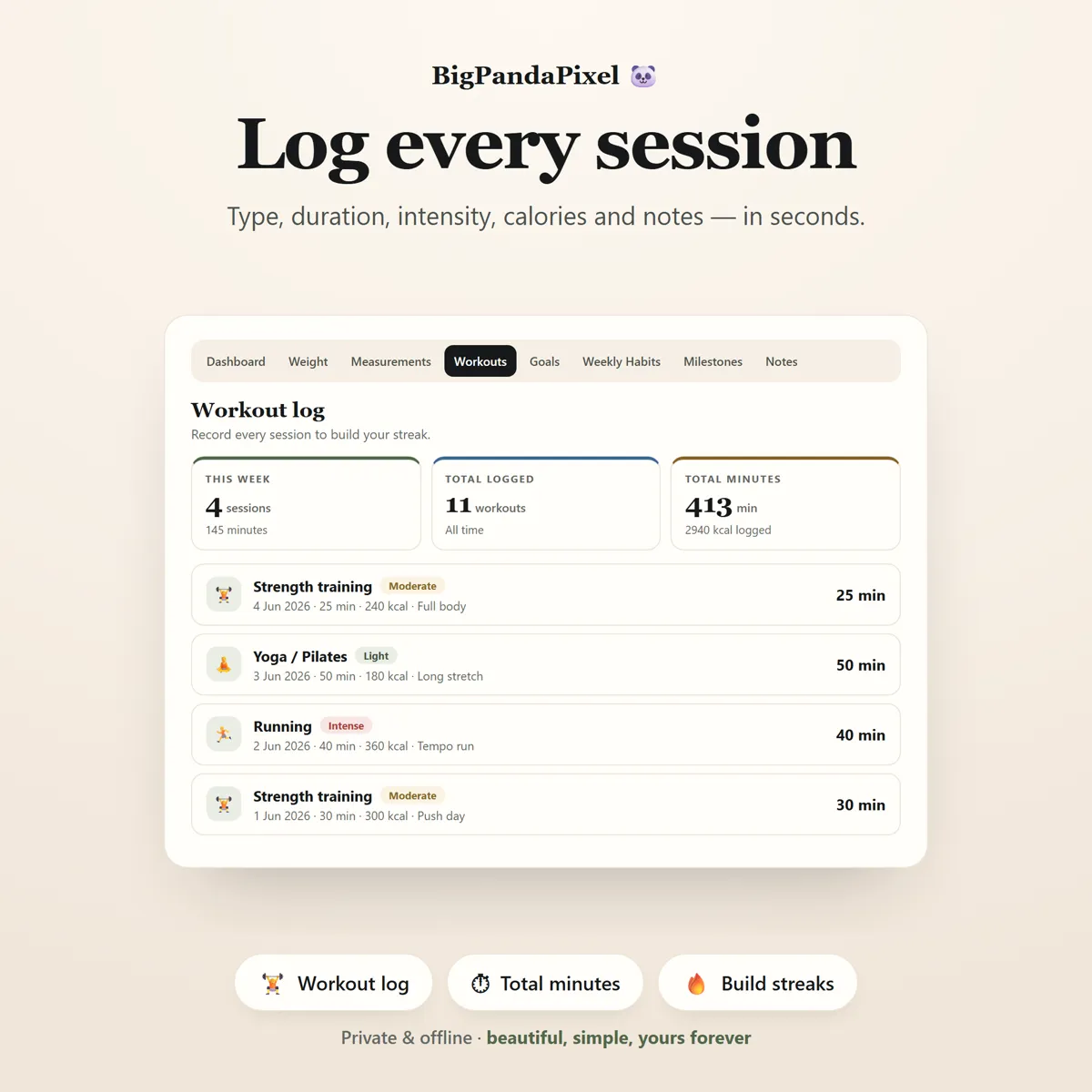
Your streak counts back from today, or from yesterday if you have not trained yet — so it never looks broken first thing in the morning. Rest days end a streak, but they never touch your longest run or a badge you have already earned.
Badges you actually earn
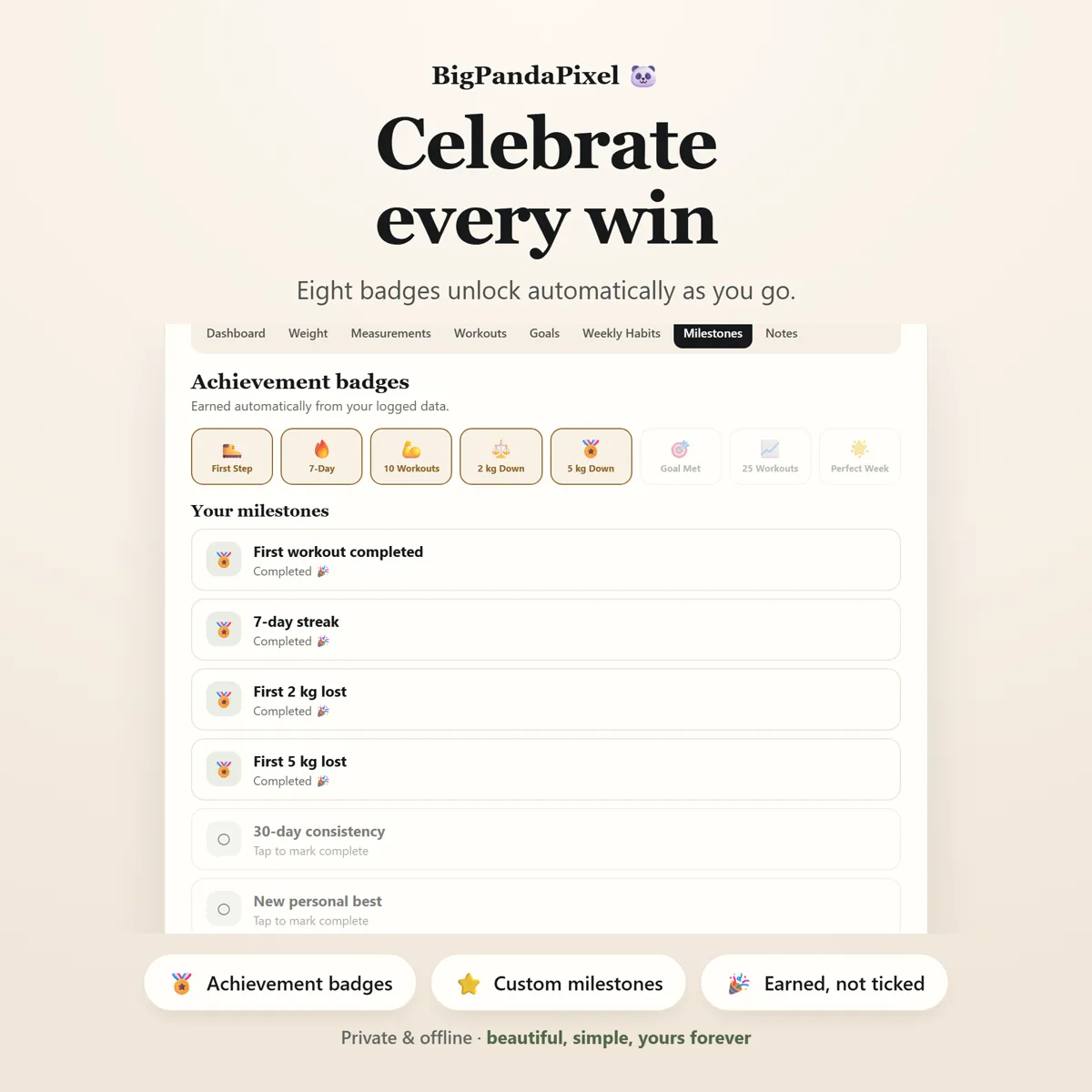
Eight achievement badges unlock automatically from your logged data. They cannot be ticked by hand, which is exactly what makes them worth something.
Maths you can check
Nothing here is a black box
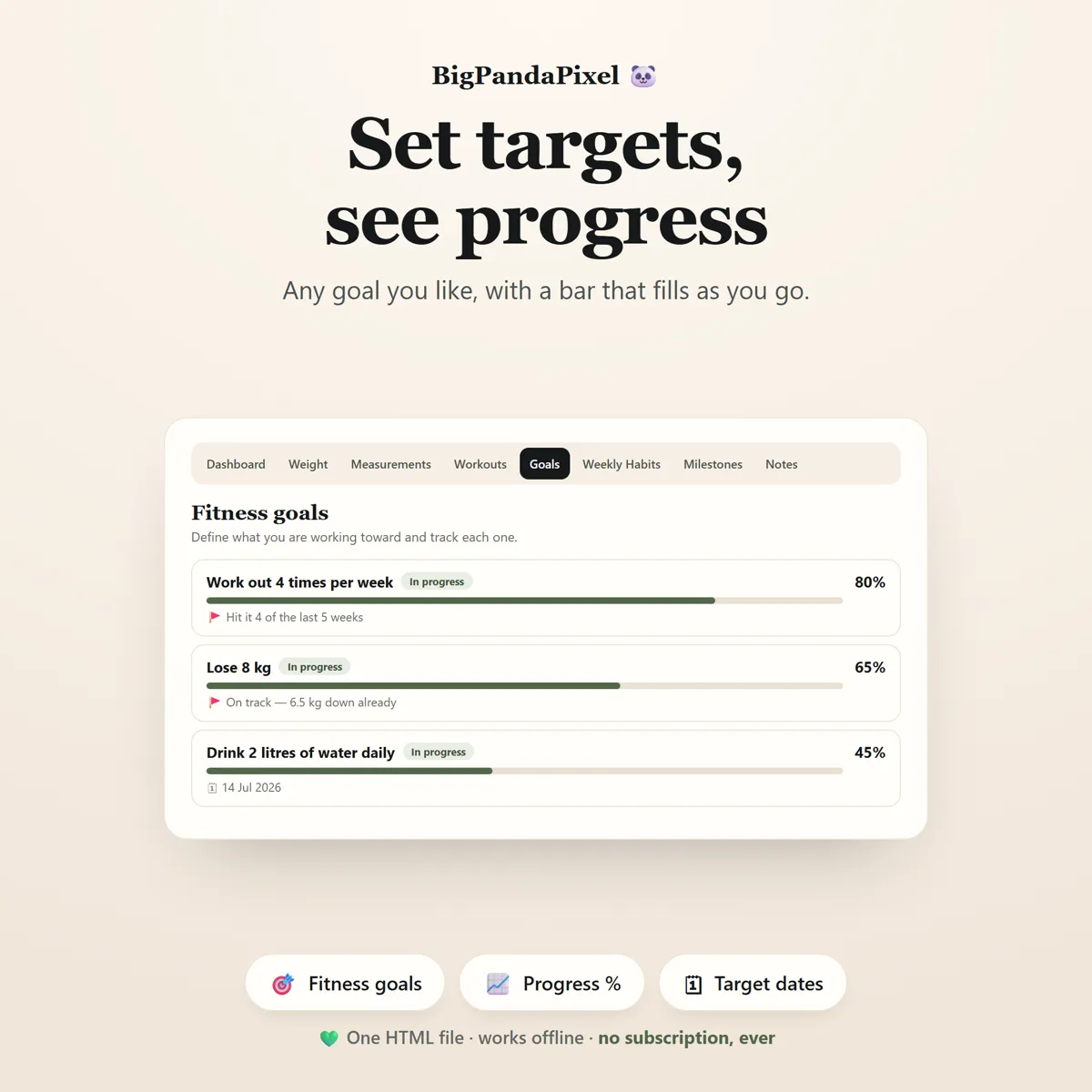
Goal progress is how far you have moved from your starting weight toward your goal, as a percentage. It works in both directions — set a goal above your starting weight and the bar fills as you gain. If you are already at or past your goal, it shows full rather than empty.
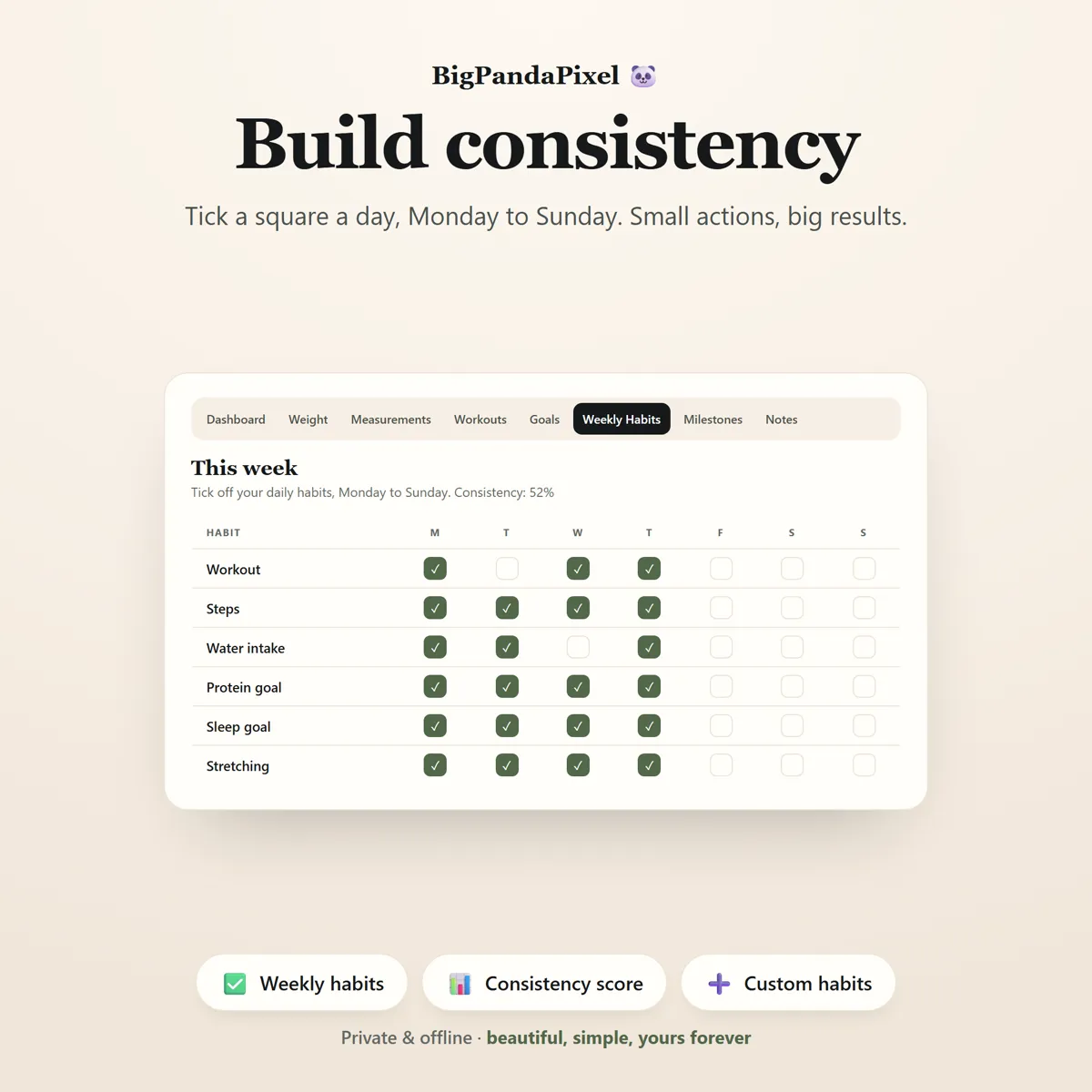
Weeks run Monday to Sunday. "This week" and your consistency score both reset on Monday morning.
Consistency is simply the share of habit squares ticked this week. Six habits across seven days is 42 squares, so 22 ticks is 52%.
A streak is consecutive days with at least one session logged. Two workouts on the same day count as one day, not two.
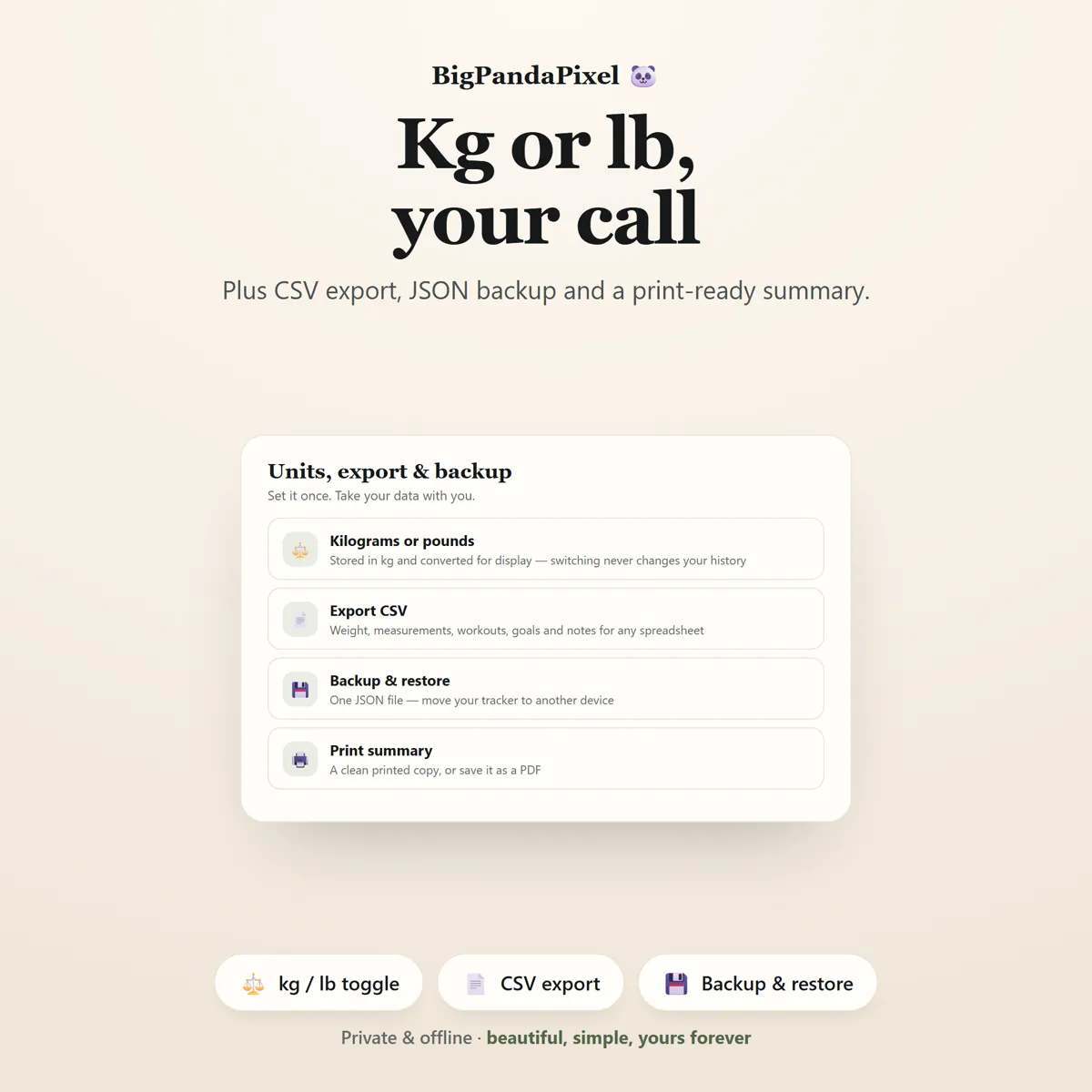
Every weight is stored in kilograms and converted only for display, so switching between kg and lb never alters a single value in your history.
A closer look
Every screen, as it ships
What you'll receive
One download, everything in it
- Six colour themes and four text sizes
- Fitness Progress Tracker Interactive Offline App (Single HTML File)
- Fitness Dashboard
- Weight Progress Tracker with Chart
- Body Measurement Tracker
- Workout Log
- Fitness Goals
- Weekly Habit Tracker
- Milestones & Achievement Badges
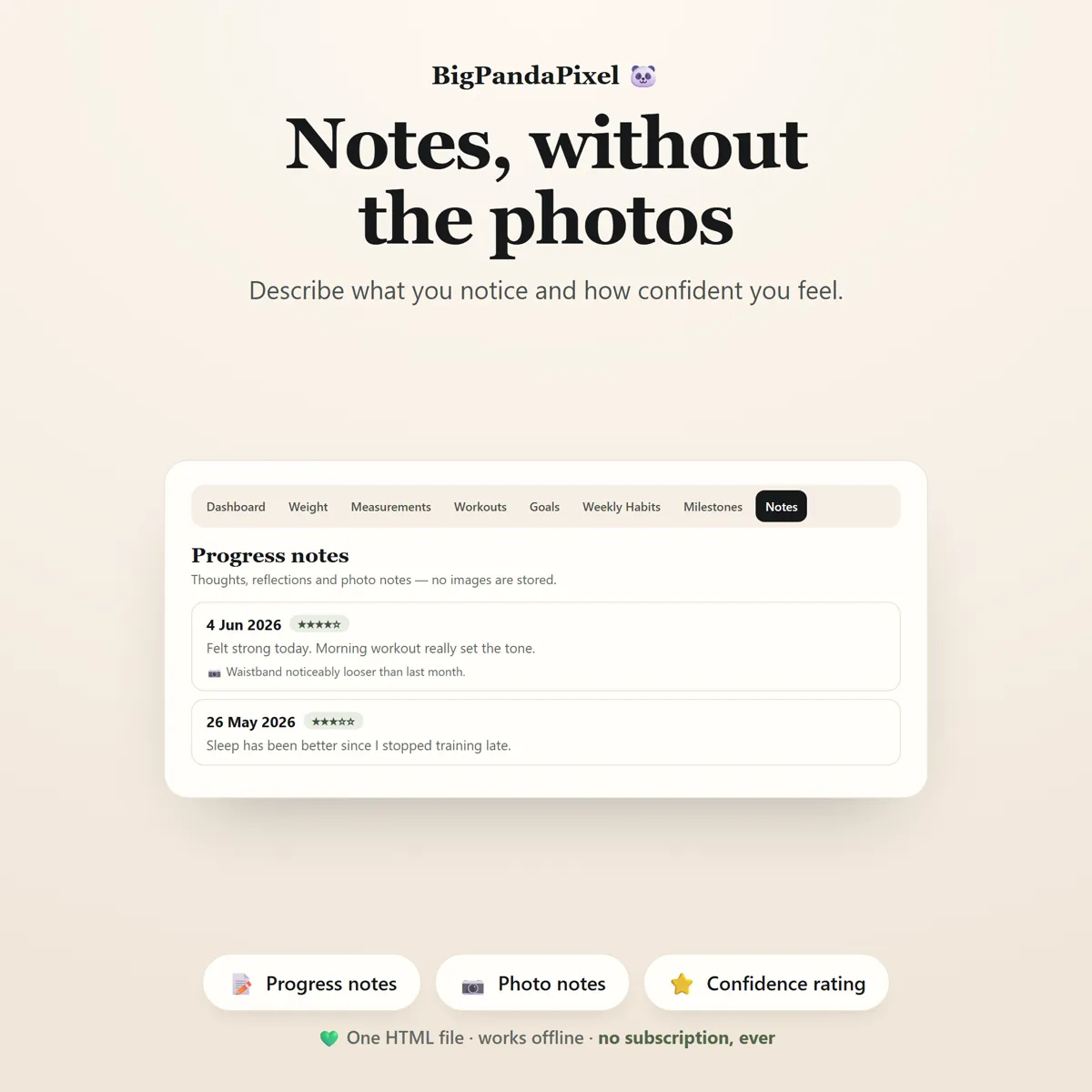
- Progress Notes
- Built-in Instructions Tab
- Settings, Backup & CSV Export
One-time payment
Get it on Etsy- Instant download after purchase
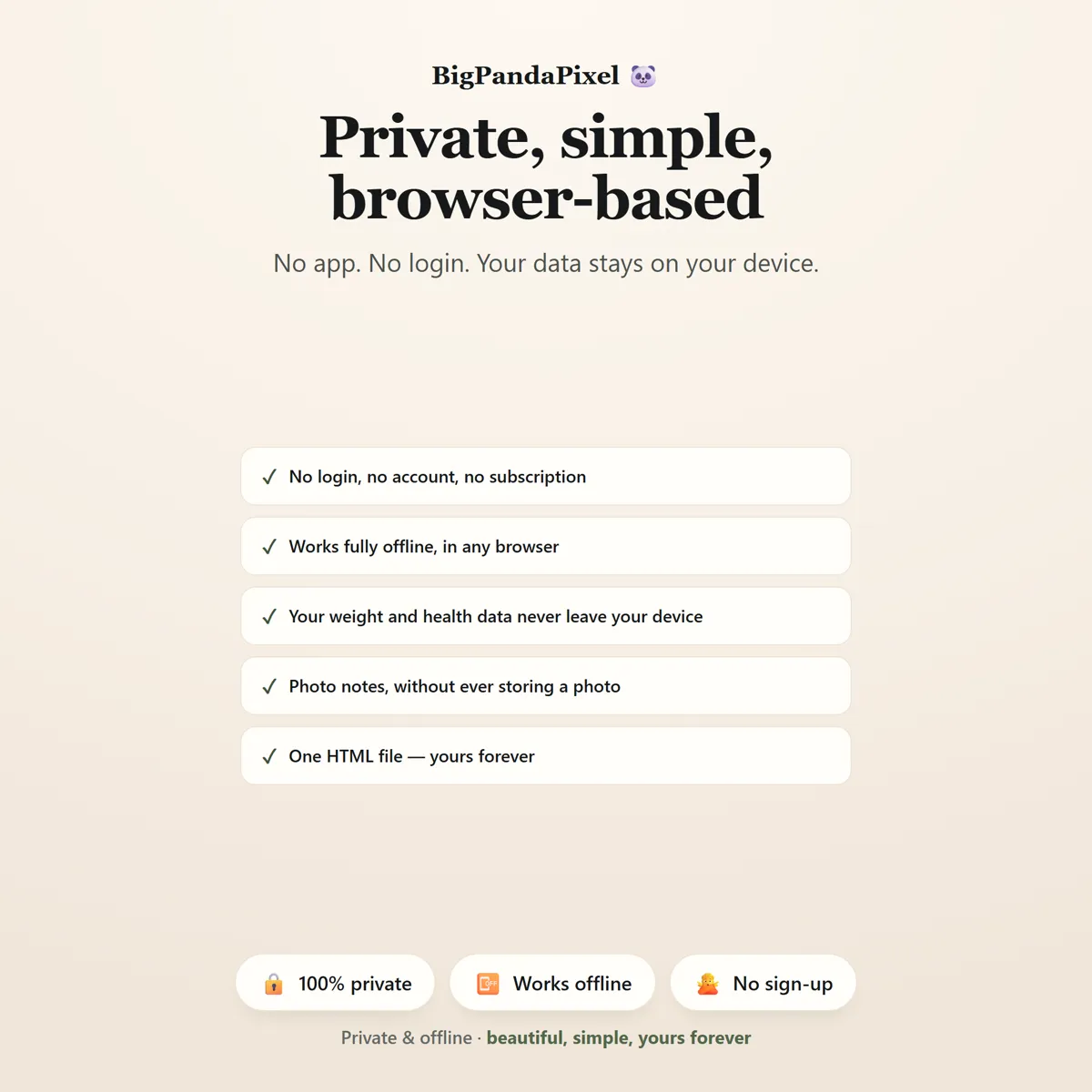
- No account and no subscription
- Works offline on any modern browser
- Windows, macOS, Linux, Chromebook, iPad, Android
Checkout is handled by Etsy. Your payment details never come to us.
Who it's for
You'll recognise yourself in at least one of these
Weight loss tracking
Workout and gym session logging
Body measurement tracking
Fitness goal planning
Building healthy daily habits
Progress journalling and reflection
Anyone starting a new routine who wants to stay consistent
Anyone who prefers a private, offline tracker to a fitness app
Anyone who wants their data in one place without a subscription
Getting started
From payment to using it, in about two minutes
Buy and download
Purchase and download instantly.
Unzip the folder
Unzip the folder.
Open the file
Open the HTML file using Chrome, Edge, Safari, or Firefox.
Start using it
Log your weight and one workout to see your dashboard come alive.
Please read before buying
The honest small print
- This is a digital download. No physical product will be shipped.
- Instant download after purchase.
- Works completely offline after downloading.
- This is an HTML browser-based application — not a mobile app, Excel spreadsheet, Google Sheets template, or Notion template.
- Your information is automatically saved locally in your browser. Clearing browser data, using private/incognito mode, or changing browsers or devices may remove locally stored data, so you can export backups anytime to keep your information safe or move it to another device.
- Because there is no cloud account, your tracker does not automatically sync between devices. Use the built-in export and import to move it.
- Progress photo notes are text only. The tracker does not store, upload or display images.
- Compatible with all modern web browsers.
- Because this is a digital product, all sales are final. See the refund policy.
Questions
Asked before buying
What exactly is in the download?
A zip folder containing one HTML file — the whole Fitness Progress Tracker — and illustrated How-To-Use Guide (10-Page PDF). Nothing to install.
Does it work on my phone or iPad?
Yes. Every screen is responsive. On iPad and Android the simplest route is to save the file to your device's Files app and open it from there.
Will you see anything I put into it?
No, and we could not if we wanted to. The file makes no network requests — there is no server for it to talk to. Everything you type is stored by your own browser on your own device.
Is this a subscription?
No. It is a one-time purchase of a file you keep. There is no account, no renewal and no way for it to stop working — Fitness Progress Tracker runs entirely offline.
One file9 screensNothing leaves your device
Watch the line, not the number.
Log it once and let the charts do the part that keeps you going.
Instant download · No account · Works offline · One-time payment